Glowbug
Invoicewell
Invoices you can just ask for
by Glowbug
One-time purchase · macOS 14 Sonoma or later · Apple silicon and Intel · Version 1.0.1,
- Price
- $19.99one time
- Category
- BusinessMac app
- Requires
- macOS 14or later
- Size
- 9.1 MBdownload
- Version
- 1.0.11 November
- Developer
- Glowbugindie
| Description | Qty | Rate | Amount |
|---|---|---|---|
| Nothing to bill yet | |||
- Your business name
- A client
- Something to bill
- A price on every line
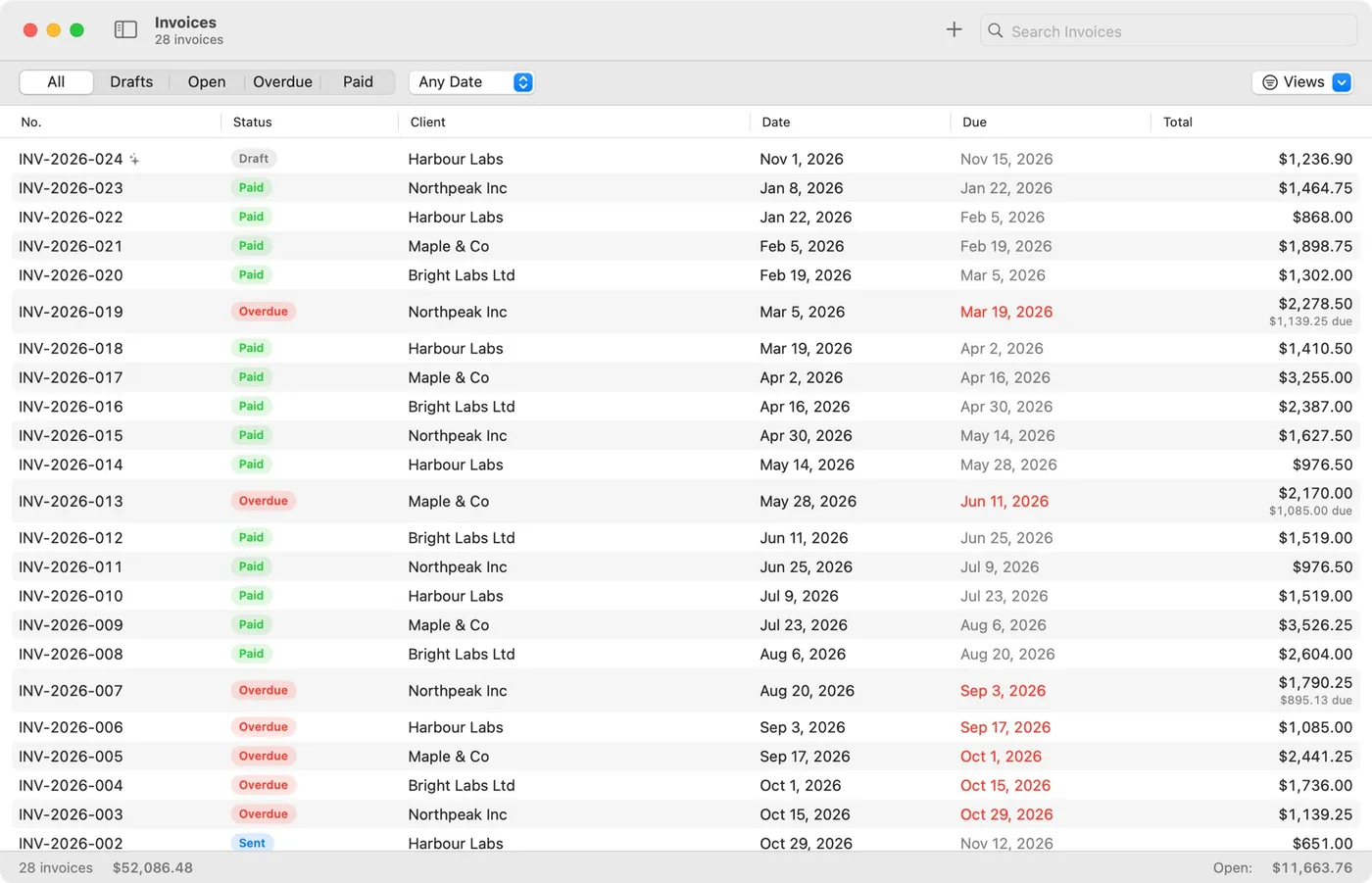
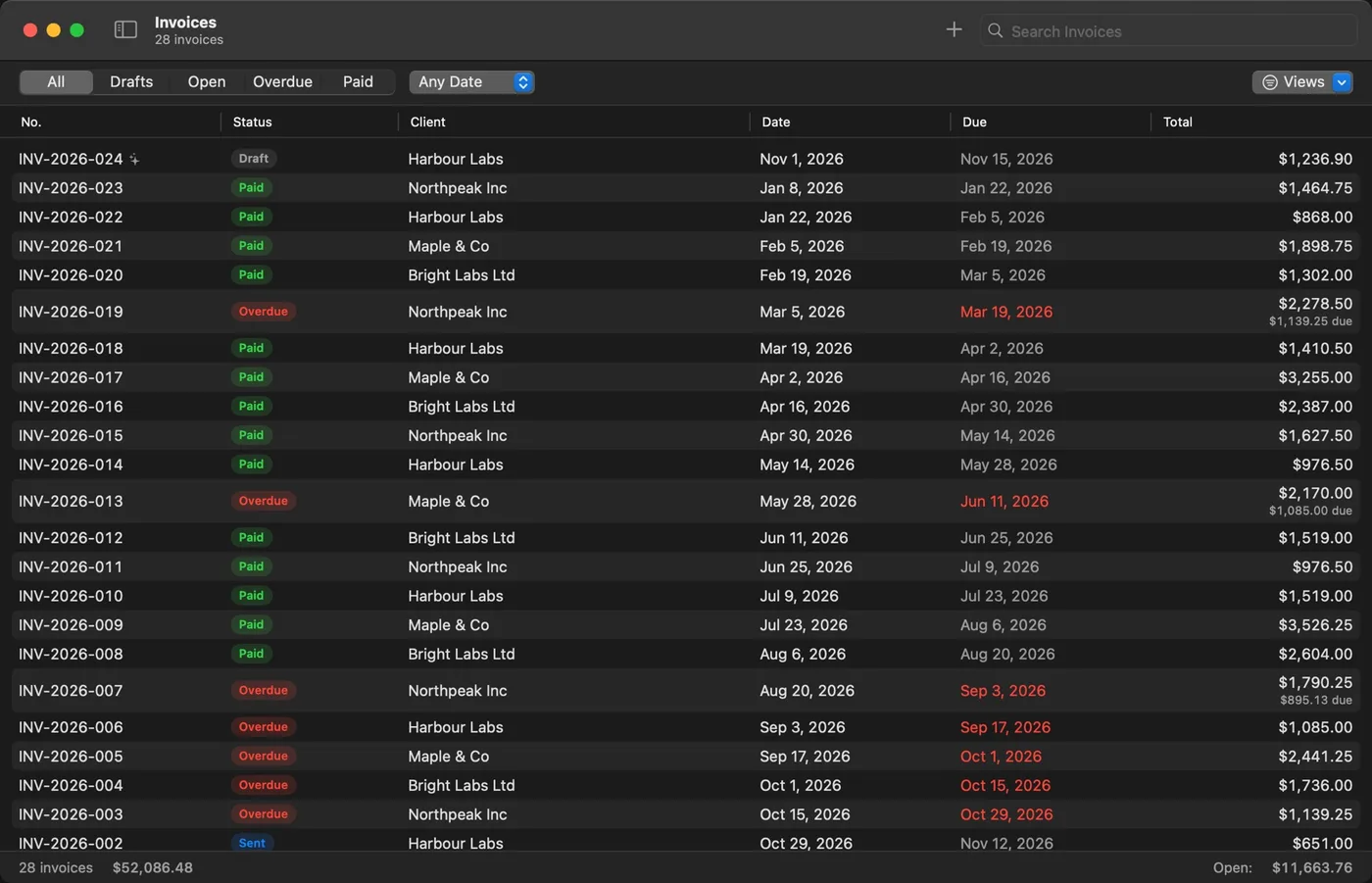
An example with made-up clients. The questions are the kind Invoicewell really asks: only the ones it can’t work out itself.
Invoicewell is a Mac app for invoices and quotes. Tell your AI assistant who to bill: it asks only what’s missing, fills in the rest, and you press Send.
It is made for freelancers and small studios who would rather do the work than the paperwork. Your assistant finds the client, the hours you tracked and your usual terms; Invoicewell works out what is still missing, so every assistant asks the same few good questions.
And it is a complete invoice app without AI too: a live PDF editor, five designs, quotes and credit notes, time tracking, recurring invoices, reminders, reports and daily backups, all on your Mac.
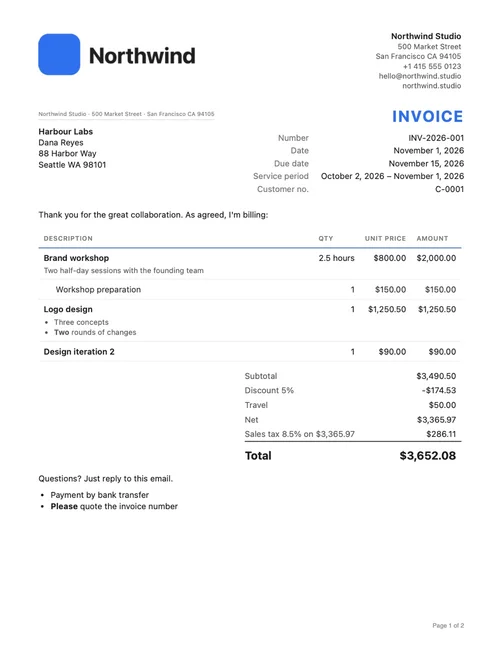
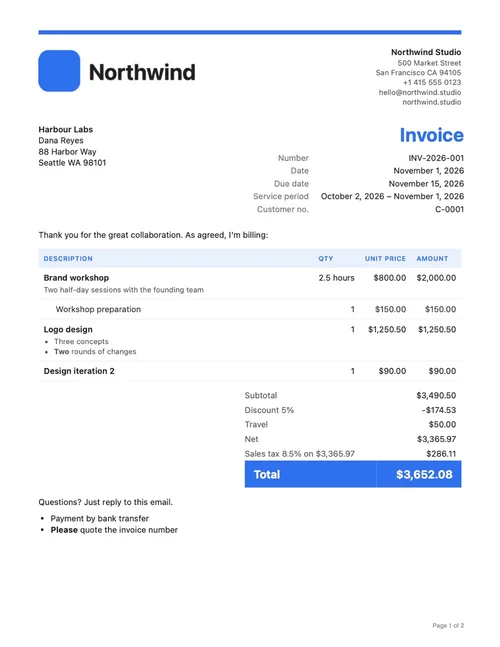
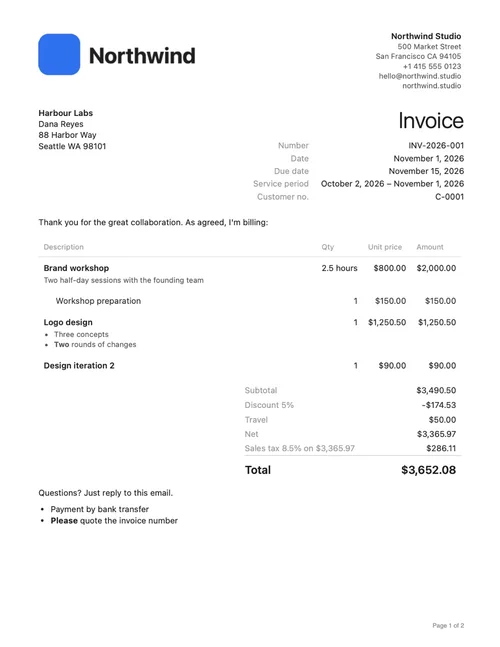
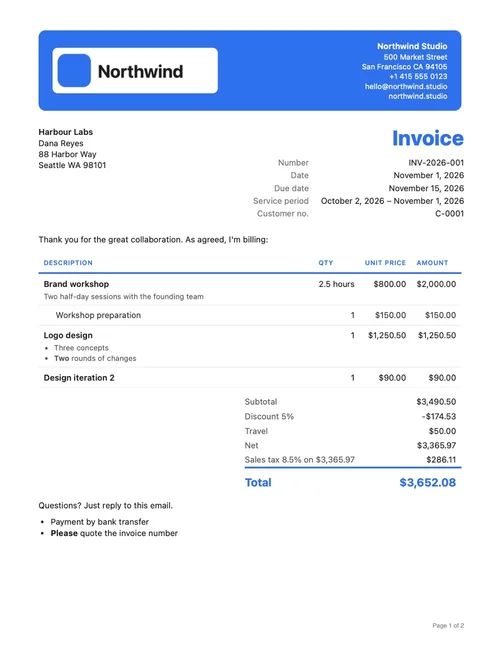
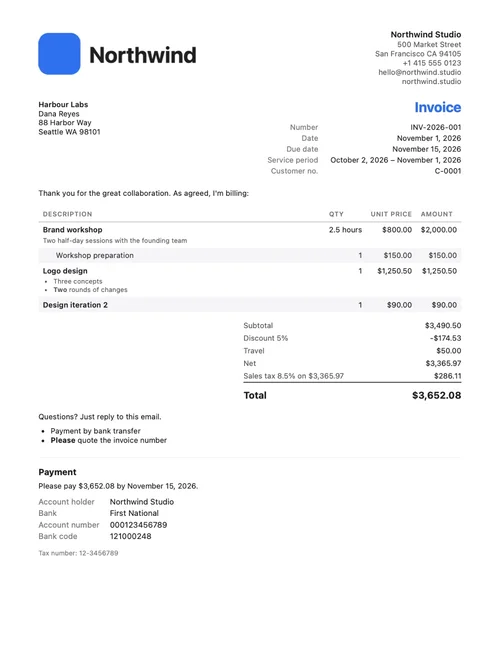
Five designs. All yours.
These are real PDFs from the app. Add your logo, color and font, and every invoice looks like yours.
Ask for it
Stop making invoices. Start asking for them.
Turn assistants on in Settings and click Add to Claude. Then say “Invoice Harbour Labs for this month’s work.” Your assistant finds the client, the hours and your terms, and asks only what it can’t know.
- Works with Claude, Claude Code, Cursor, VS Code, Windsurf, Zed and other MCP assistants
- You choose how far it goes: only look, make invoices and quotes, or also record payments
- Everything it does shows in an activity list, with Undo for its drafts
By hand, too
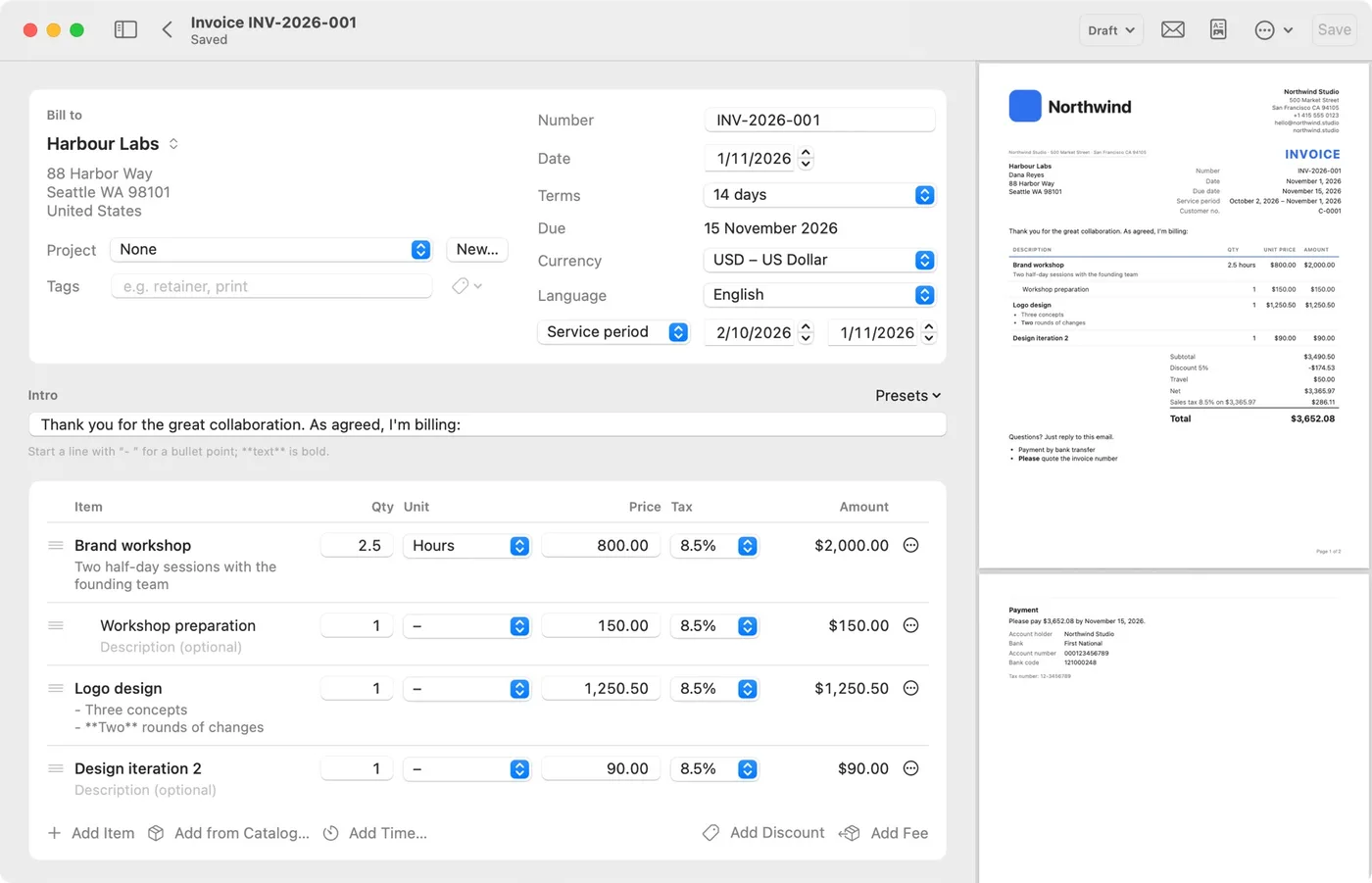
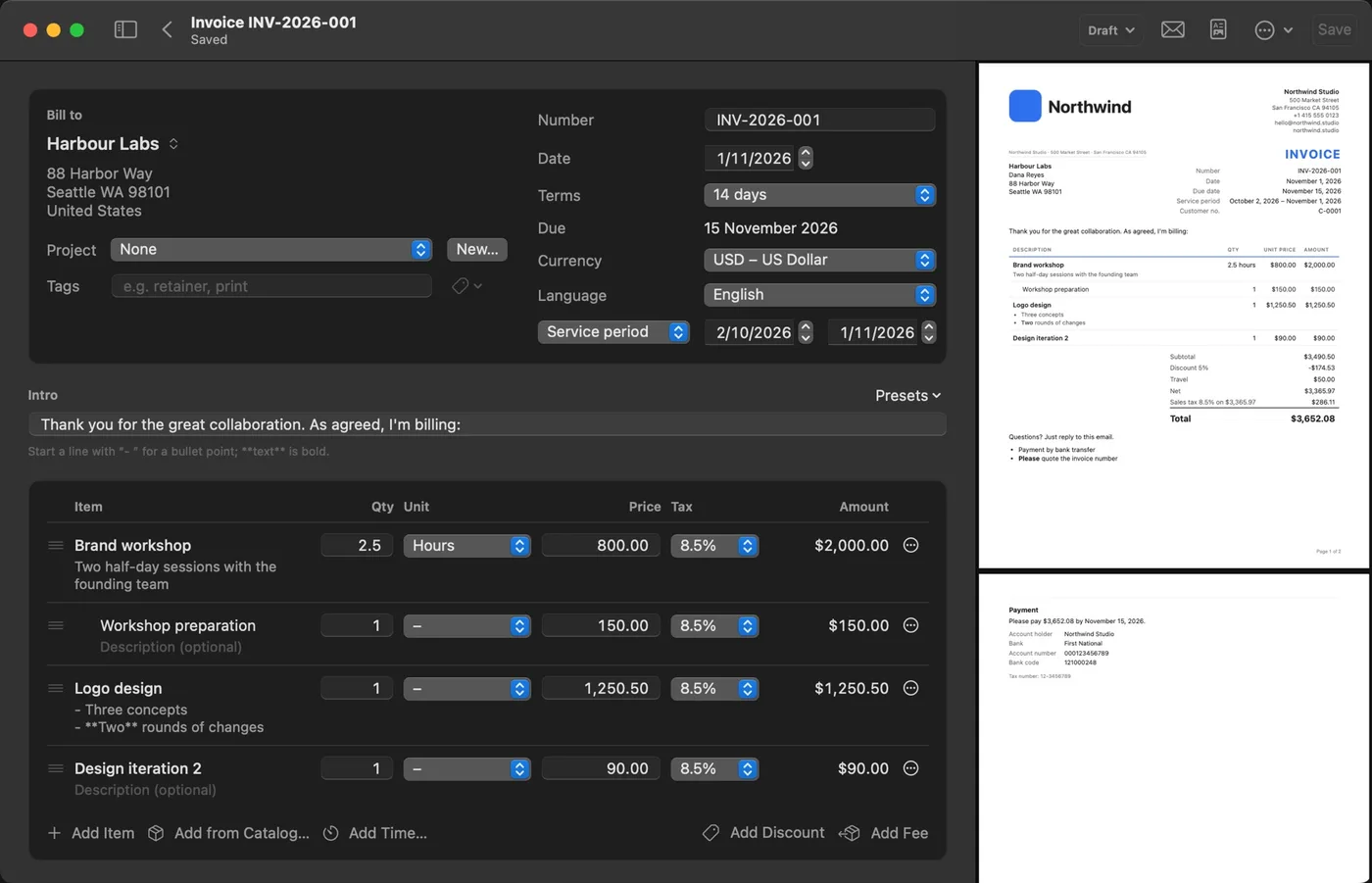
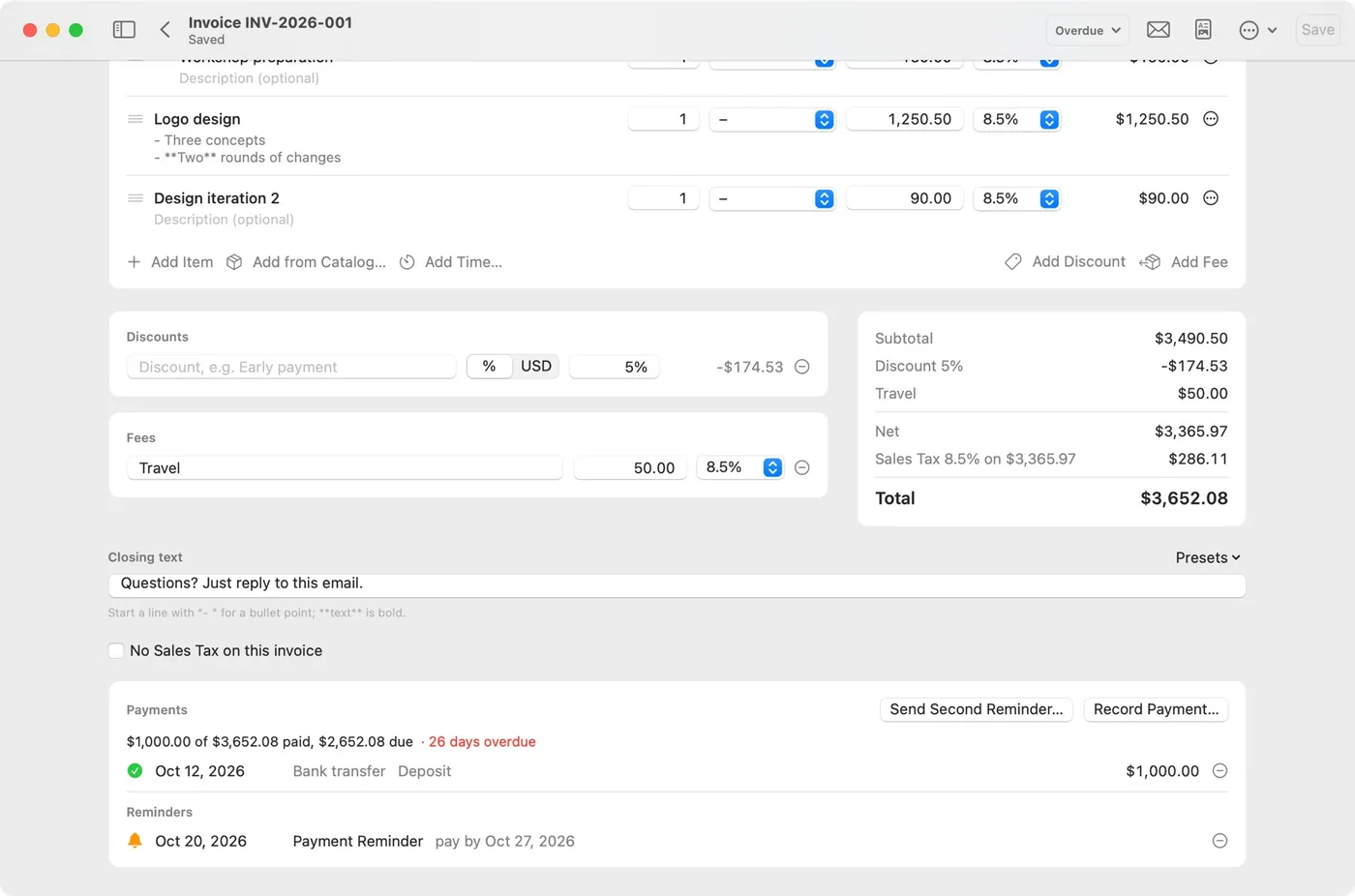
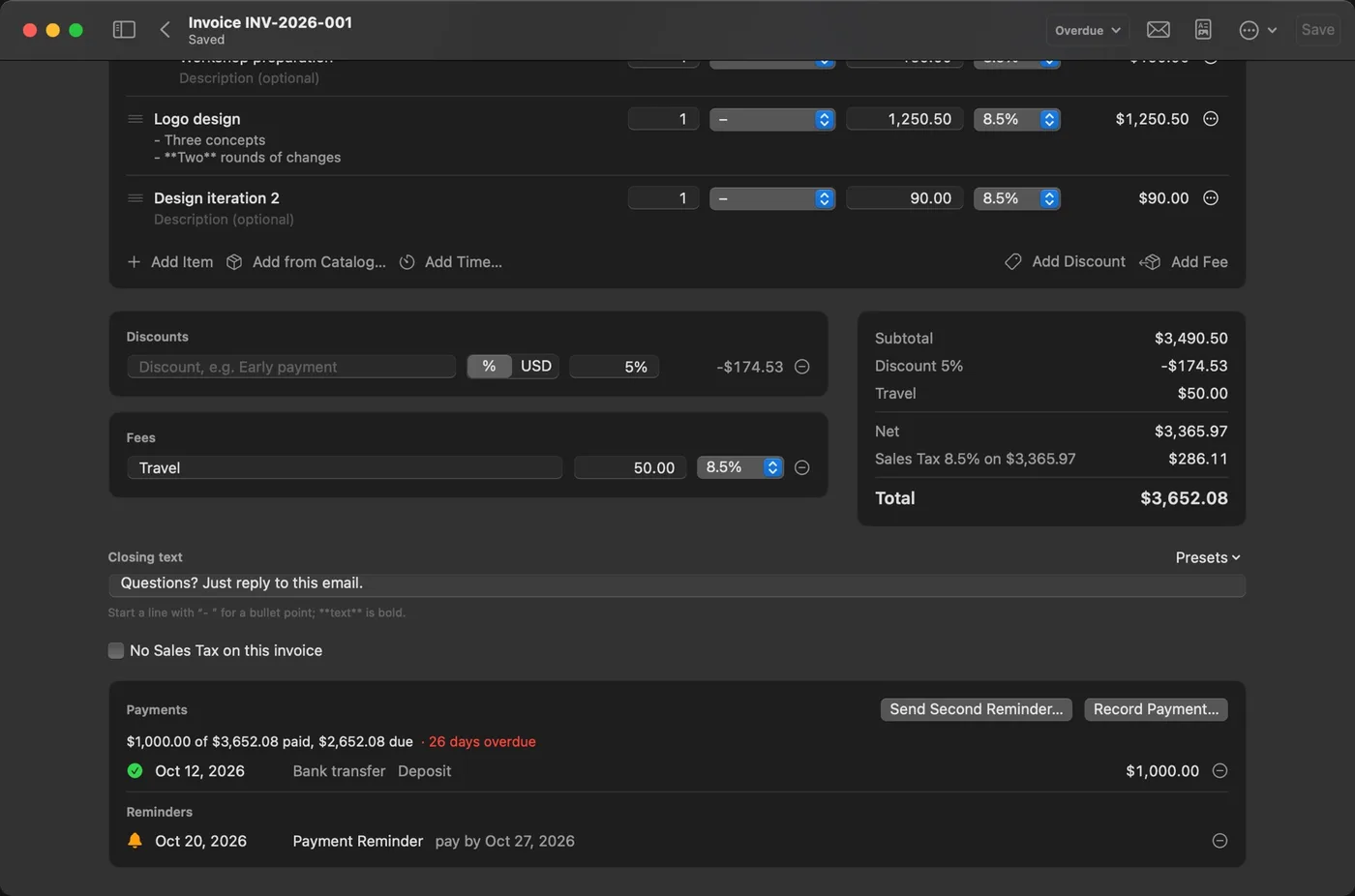
The editor shows the real PDF as you type
Prefer to do it yourself? Every feature works by hand. Write lines with sub-lines, discounts and fees, use more than one tax rate, and see the actual PDF update beside you.
- Name your tax sales tax, VAT or GST, with your own rates
- A currency per client, and invoices in six languages
- Quotes turn into invoices, invoices into credit notes, and they stay linked
You press Send
Assistants prepare. They never send.
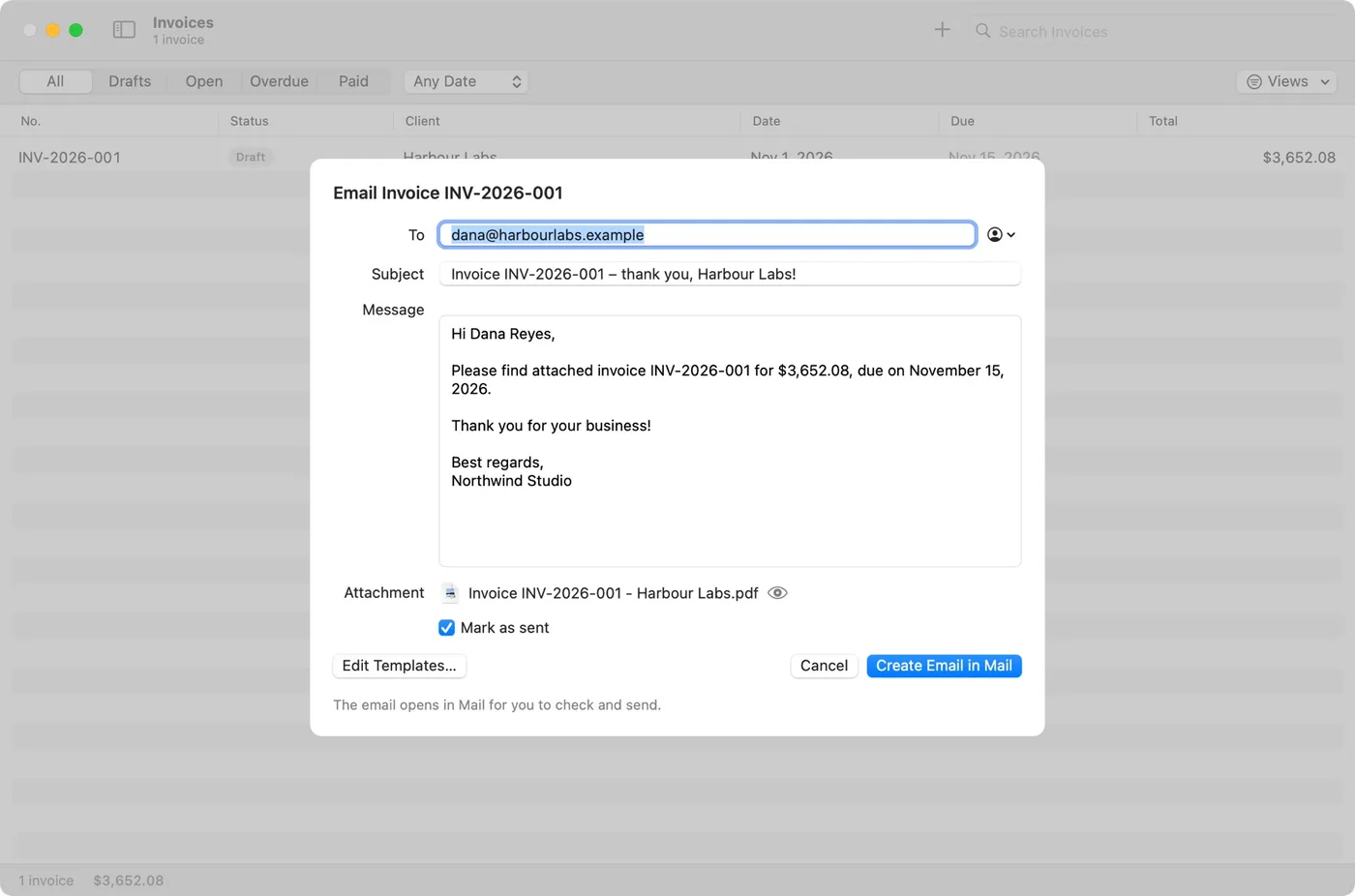
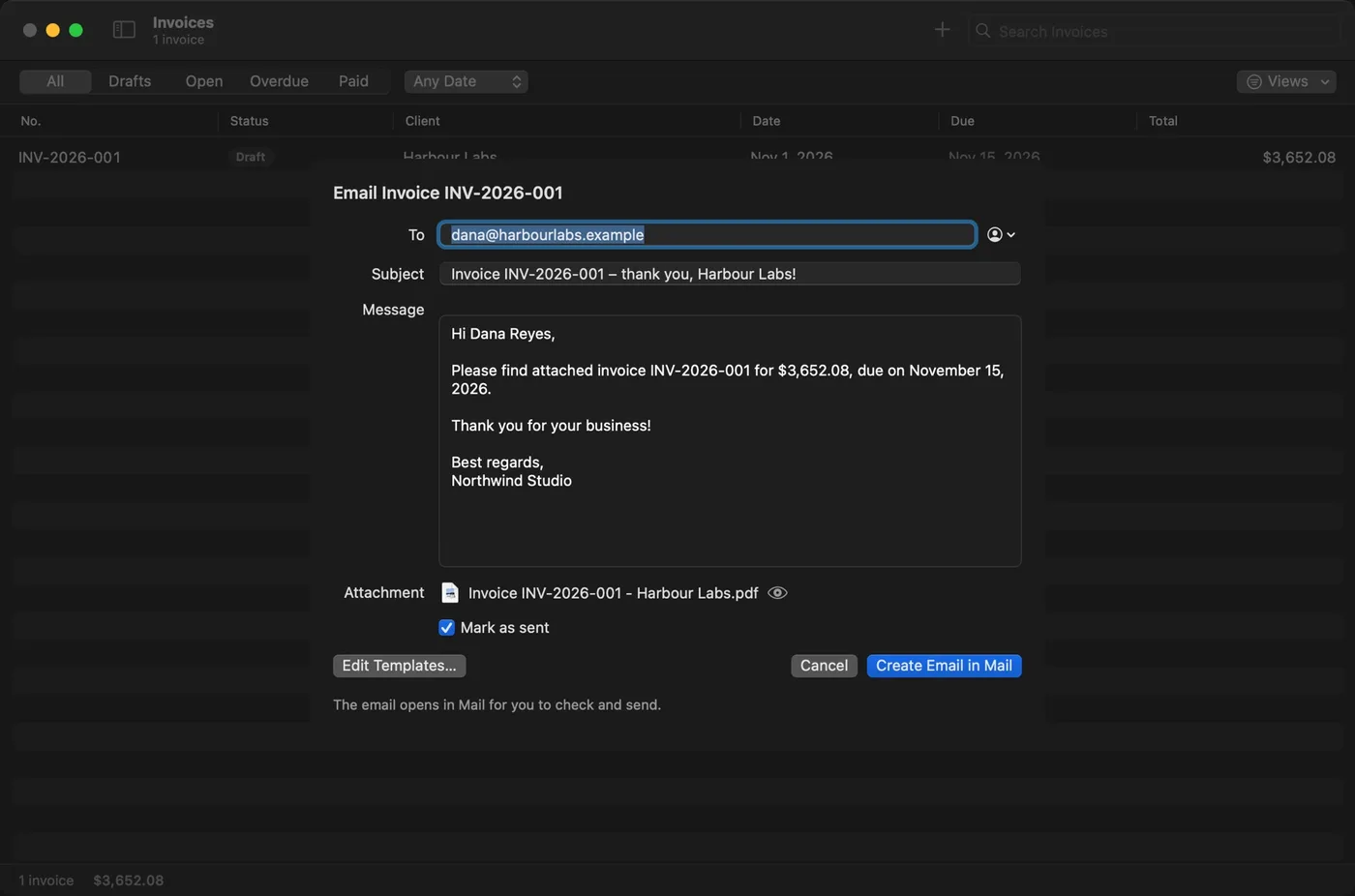
The email comes ready, with your wording and the PDF attached. You read it, and when you say so it opens in your email app for you to send. Nothing leaves your Mac on its own.
- Email templates for each kind of document
- Before anything goes out, Invoicewell checks that nothing’s missing
- Quick Look with Space, and drag any invoice out as a PDF
Time and repeat work
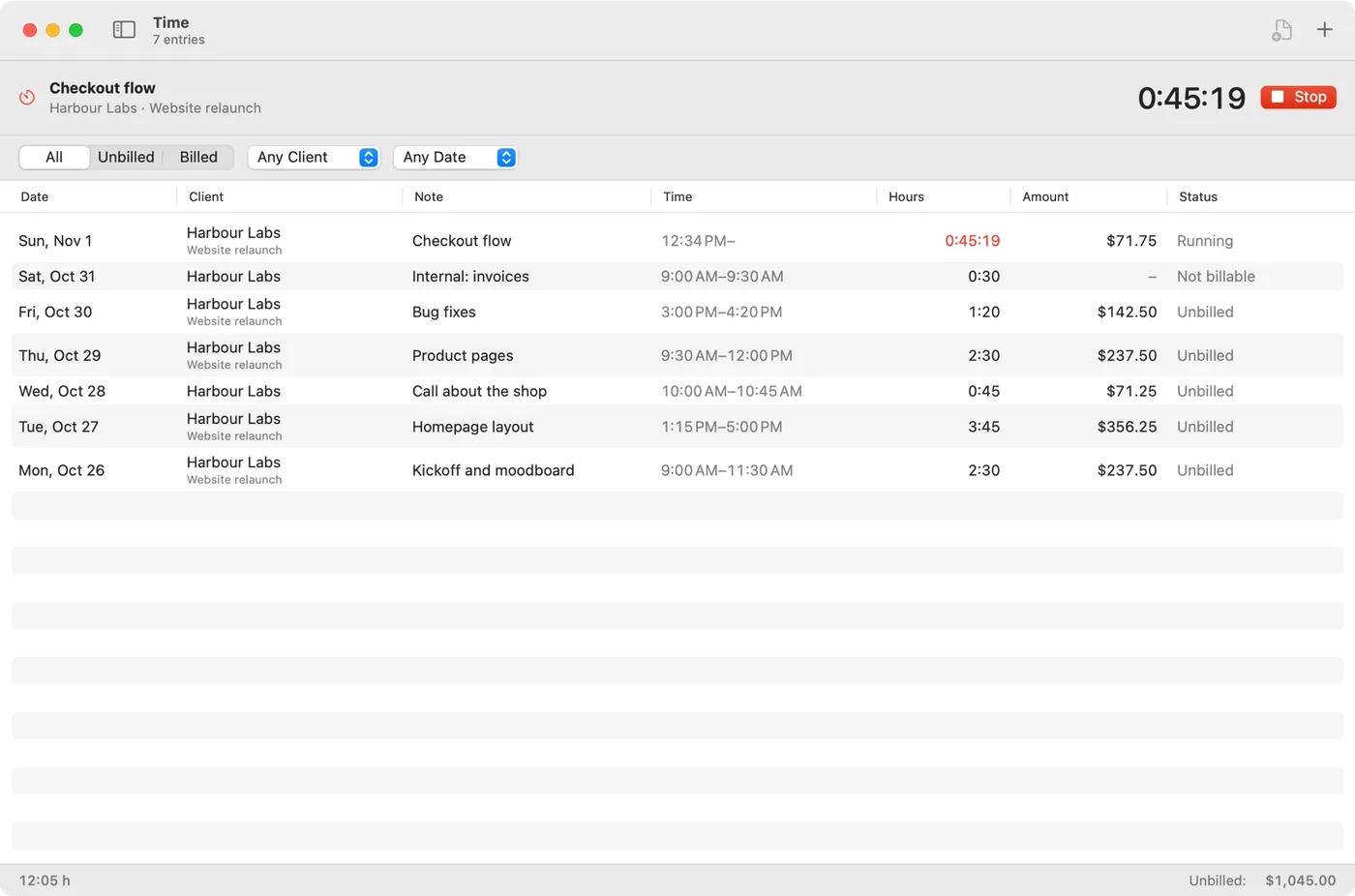
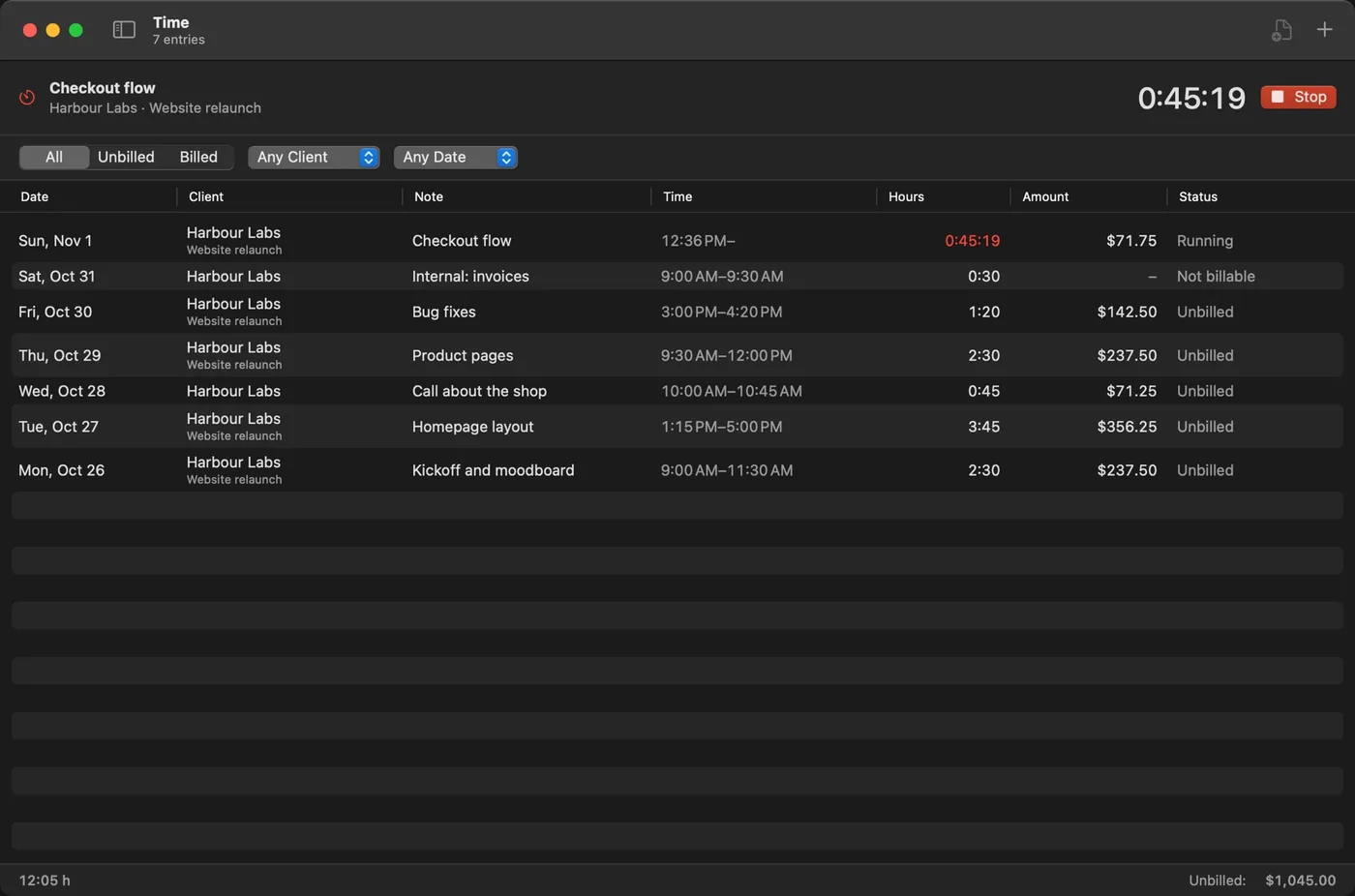
Track the time, then bill it in one go
Run a timer from the app or the menu bar, then turn your hours into invoice lines. Retainers and hosting bill themselves on schedule, and if your Mac was off, they catch up.
- Your assistant can find unbilled hours too
- Recurring invoices on any schedule
- Notifications for overdue invoices and a timer left running
Getting paid
Know who has paid, and nudge who hasn’t
Record part payments, send up to three reminders, and add late fees from the level you choose. Reports show what you invoiced, what was paid and who is late, and export to CSV for your accountant.
- Tax by rate, unpaid invoices by age, totals per client
- ⌘K jumps to any invoice, client or action
- A backup every day to any folder you choose
Everything in Invoicewell
Ask your assistant
Claude and other MCP assistants make invoices and quotes for you.
Live PDF editor
Sub-lines, discounts, fees and more than one tax rate.
Five designs
Your logo, color and font on every document.
Time and recurring
A timer in the menu bar, and invoices that send on schedule.
Reminders and reports
Up to three reminders, late fees, CSV exports.
Private by default
No account; your invoices live on your Mac, backed up daily.
According to Invoicewell’s release testing, 328 automated tests and 602 in-app checks passed on version 1.0.1, and with 5,000 invoices in the list, ⌘K found the one typed in under half a second.
Pricing
Pay once. No subscription, no account.
Invoicewell
Up to 3 Macs
one-time purchase
- Invoices, quotes and credit notes
- AI assistants (optional)
- Five designs and six languages
- Time tracking and recurring invoices
- Reminders, late fees and reports
- Up to 3 Macs
- Free updates
There is no free trial and all sales are final, so the demo at the top of this page is the way to try the idea first.
Checkout and license keys are handled by Gumroad. Your key arrives by email and works on up to 3 of your own Macs.
Requires macOS 14 Sonoma or later, on Apple silicon and Intel. 9.1 MB download.
Questions
Getting started
Which Macs does Invoicewell work on?
Any Mac with macOS 14 Sonoma or later, Apple silicon or Intel. The download is 9.1 MB.
Do I need an AI assistant to use Invoicewell?
No. Every feature works by hand. Assistants are off until you turn them on in Settings, and Invoicewell asks you once before each new assistant gets in.
How many Macs can I use my Invoicewell license on?
Up to 3 of your own Macs. If you replace one, email adgan.business@gmail.com and its place is freed.
Using Invoicewell
Can an assistant send invoices without me?
No. Assistants prepare invoices and emails; they never send. The email opens for you to read and send yourself.
Which AI assistants work with Invoicewell?
Claude, Claude Code, Cursor, VS Code, Windsurf, Zed and other assistants that support the Model Context Protocol (MCP).
Can I bill clients in other currencies and languages?
Yes. Set a currency per client, and write invoices and emails in English, Spanish, French, German, Dutch or Italian. Totals in your lists stay separate per currency.
Your data
Where are my invoices stored?
On your Mac, not on anyone’s server, and there is no account. Invoicewell can back everything up every day to a folder you choose, and export it all whenever you like.
Does Invoicewell sync between Macs?
Not in version 1: your invoices live on one Mac. To move them, export a backup and open it on the other Mac.
Guides about Invoicewell
 Invoicewell
What to Put on an Invoice: A Checklist for Freelancers
Every invoice needs a number, dates, who it is from and to, what you did, the total and how to pay. The full checklist, with an example and common mistakes.
Invoicewell
How to Write a Polite Payment Reminder (With 3 Templates)
When to send a payment reminder, what to say, and three ready-to-use templates: a friendly nudge, a firm follow-up and a final notice. Plus how to track it all.